How to use the Pinterest brand in your marketing
These guidelines are for businesses promoting their presence on Pinterest, and provide general rules about using our brand assets and showcasing Pinterest content. The rules apply to all media, including in-store signage, packaging, digital media and broadcast.
We’re happy to have you promote your Pinterest presence and content. Just make sure your ads and marketing materials don’t suggest that Pinterest is sponsoring your promotions or formally affiliated in any way.
The basics
Pinterest logo
Only use the Pinterest badge (please don’t use our wordmark)
Always include a call to action when using our badge
Always display your Pinterest account when you use our badge in a non-interactive environment
Always use our badge templates to ensure call to action text is proportionate to the Pinterest badge
Product screens
Call out your Pinterest account somewhere within the treatment
Interface images should match the device you show (ex. a mobile view should show the mobile interface, etc.)
Language
Whenever you reference Pinterest, make sure to also reference your Pinterest account
Acceptable ways to reference your account:
Follow us on Pinterest
Find us on PinterestAcceptable language to talk about your Pins:
Find more ideas on Pinterest
Get inspired on Pinterest
Popular on PinterestDo not use this language for your Pins:
Trending on Pinterest
Trending Pins
Full guidelines
Our logo
Our primary logo is a script white “P” placed within a red circle. Use the EPS and high resolution PNGs provided below. The logo may also be black or white when color usage is limited. Do not alter our logo with other elements like filters or effects.
Logo examples

Primary red logo

Secondary black or white
Things to avoid when using our logo

Do not outline our logo.

Do not add filters or effects to our logo.

Do not remove the P from the circle.

Do not alter the logo color.

Call to action lockups
We offer templates for interactive call to action lockups that link to your Pinterest profile. You can also make your own, using the guidance below.
Interactive call to action lockup guidance

No container

Gray container over white

White container
Static call to action lockup guidance
Follow these guidelines for any static, non-interactive CTAs that link people to your Pinterest profile. If your audience is more familiar with Pinterest, you can simply use your Pinterest account handle. If your audience isn’t as familiar with Pinterest, you might want to write out your full account URL for clearer context. In all cases you may use your own brand typeface.

Centered CTA
Pinterest badge centered above a CTA and your account handle

Left-aligned CTA
Pinterest badge set to the left of a CTA and your account handle

Centered account URL
Pinterest badge centered above full account URL

Left-aligned account URL
Pinterest badge set to the left of a CTA and your account handle. Note: The CTA should not mention “Pinterest” as it is included within the URL.

Account URL only
Your full Pinterest URL may appear without our badge.

CTA and account URL
A CTA and full account URL may appear without our badge. Note: The CTA should not mention “Pinterest,” as it is already included within the URL.

Centered lockups are recommended for all social and broadcast formats.
Language
Acceptable call to action phrases
Our primary call to action is “Follow on Pinterest.” You can also use the following phrases to talk about your account:
Follow us on Pinterest
Popular on Pinterest
Find us on Pinterest
Visit us on Pinterest
Find more ideas on Pinterest
Get inspired on Pinterest
Unacceptable phrases
Never use any of the following phrases when referring to Pinterest:
Trending on Pinterest
Trending Pins
Any phrase that uses “Pin” as a verb (use “save” instead)
When can you say “Popular on Pinterest?”
A Pin is only considered popular if it registers high impressions, clicks or saves within Pinterest Analytics. Remember that Pinterest Analytics only shows your own Pin performance. To provide the right context, make sure to put your own Pinterest URL after any “Popular on Pinterest” labels.
Naming and visuals for your apps and services
If you’re creating an app, website or other service designed to be used with Pinterest, develop your own branding that doesn’t use Pinterest brand elements.
Don’t use “Pin,” “Pinterest” or any variations of “Pinterest” in your name or domain name.
Don’t use any Pinterest marks, logos, graphics or similar variations as part of your logo or branding.
Product depictions
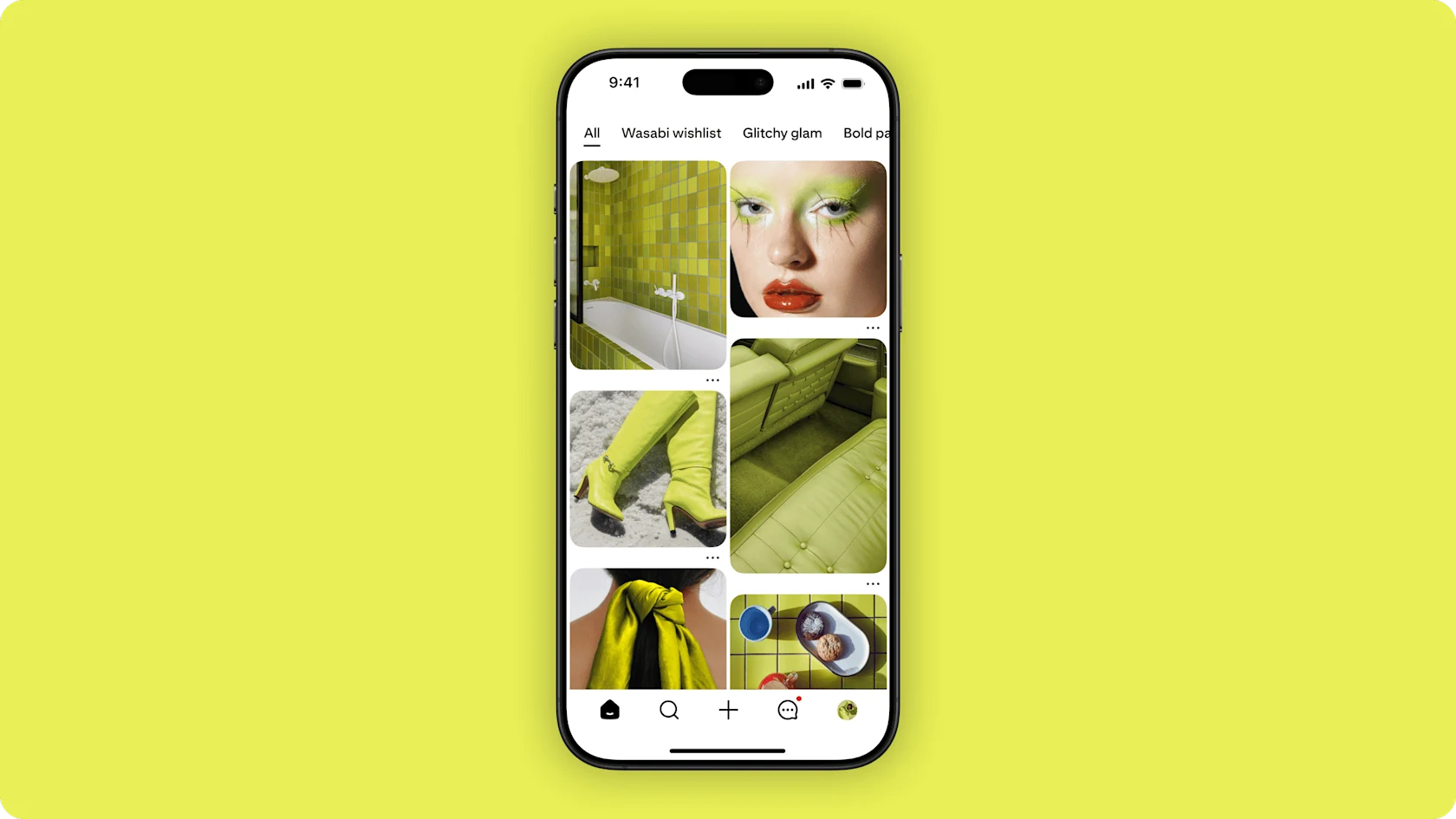
When depicting Pinterest in your marketing, always make sure the interface matches the device. For example: when depicting Pinterest within a photo of a phone, make sure you’re using the mobile Pinterest interface. The same applies for tablet and desktop depictions. This applies to all elements of Pinterest, including Pins, boards, the grid view or any other element.
Please note that you are responsible for obtaining all rights to any imagery represented in your marketing materials.
Press assets
Please refer to the below file packages for press assets.

Product screens

Footage of our product and Pinners

Footage of our office and employees

Leadership photos
Press inquiries
Press requests
Email press@pinterest.com
Only members of the press will receive a response. Visit our Help Center for all other inquiries.
Request a speaker
Fill out our speaker form
Subscribe
Get the RSS feed