A starter guide to Pinterest for businesses
Pinterest works for all kinds of businesses, from small shops to global brands. It’s free to sign up for a business account and easy to start making Pins.

85%of weekly US Pinners have made a purchase based on Pins from brands1
Set up for success
Make Pins to show the world what you’re about. Use images or videos to display your ideas, products and more.
We’ll show your Pins to the people we think are most likely to love them. People can comment, react or even add photos of Pins they’ve tried.
Turn your Pins into ads so they can be seen by more people. Combining organic and paid content is the best way to succeed on Pinterest.2
Merchant tools
Turn Pins into purchases

Set up shop
Use our shopping solutions to upload your catalog and promote your products.

Run shopping ads
Promote your products to reach more people and work toward performance goals.
Partner with experts
Work with one of our third-party partners to set up your feed, create shoppable experiences and more.

Stand out from other brands
Join the Verified Merchant Program to show that your store was vetted by the Pinterest team.
Build engagement from your website
Claim your website
Claiming your site ensures that your brand name appears on every Pin people create from your site.
Add Pinterest widgets
The follow widget helps your site visitors follow you on Pinterest—without ever leaving your site. We also offer widgets that let people save Pins or boards directly from your site.
Enable rich Pins
Rich Pins automatically sync information from your site, to your Pins. They help you add more info directly to the Pin so people learn more about your products or ideas.
Analytics and measurement
Put our insights to work
Understand your audience
Audience insights show who you’re reaching and what they care about.
Get the metrics that matter
Get an instant read on individual Pin performance, or deep dive into rich analytics that show your engagement metrics.
Promote your best Pins
Once you know which Pins are doing well, promote them and reach more people.
Support to help you study up

Pinterest Academy
Take free courses and attend webinars from Pinterest marketing experts. On our free learning platform you’ll get tactical, in-depth training on campaign setup, creative best practices, optimization strategies and more.
Pinterest Business Community
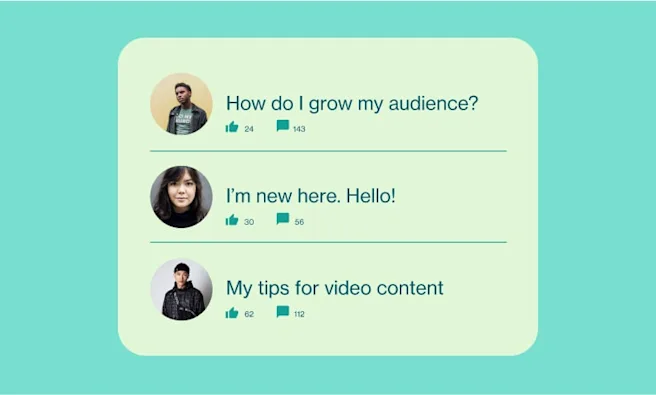
Join a growing community of businesses and creators. Look for ideas, swap best practices and ask for advice.
Get started
Frequently asked questions
Business accounts include additional features beyond standard Pinterest accounts. This includes special business tools like analytics and audience insights, plus access to Pinterest ads.
It’s free to sign up for a Pinterest business account. And if you decide to run ads, you can always set your own budget.
You can create a new business account or convert your existing personal account into a business account. From there, you’ll be able to add Pins, create ad campaigns, reach new customers and more.
People use Pinterest to find fresh, original ideas. Wow them with a visually captivating story, or use Pinterest trends to help you create content based on what people want to try next. Since content stays discoverable on Pinterest well past your publication date, people can keep discovering your ideas long after you publish a Pin.
Check out our creative best practices for tips on how to make eye-catching Pins that will help you reach your goals.
We offer many tools to help you get better business results. Ads can help boost results across the funnel. You can also use our shopping tools to help sell more products or run performance marketing campaigns. Then, get insight into performance with our sophisticated analytics and measurement solutions.
You can run campaigns against any goal, from awareness to conversions. Learn more about ad tools and formats on our dedicated page.
Get more out of your advertising with Pinterest Academy, our free learning platform that covers everything from basic setup to optimization tactics.